
Download Shadowsocks X – Secure, Fast, Free Proxy App for Bypassing Censorship
Overview
Shadowsocks X is a lightweight, free application designed to help users conceal their online activities from restrictive networks and geographic filters. Unlike traditional VPN services that bundle encryption and identity masking, Shadowsocks X operates as a hybrid “shadow‑proxy” – it routes your traffic through a chain of servers to obscure the origin of your requests. The app itself does not provide a built‑in VPN server; instead, it connects to external Shadowsocks or VPN endpoints that you can purchase via in‑app subscriptions.
This model makes the core software free to download while offering a paid upgrade path for those who need premium server access. The primary use‑case for Shadowsocks X is to bypass international censorship, allowing users to reach blocked websites, streaming platforms, and social media services. While the app does not fully encrypt every packet or hide your true identity, it adds a layer of obfuscation that makes casual monitoring difficult.
It excels in speed because it avoids the heavy overhead of full‑tunnel VPN encryption, delivering near‑native browsing performance. However, the limited number of servers can occasionally cause connection instability, especially during peak usage times. Overall, Shadowsocks X is a practical tool for anyone looking for a fast, free solution to circumvent location‑based blocks without the complexity of a full VPN suite.
Key Features & Core Benefits
- Free core application – no mandatory subscription to start using the proxy.
- Hybrid shadow‑proxy technology that blends proxy and VPN characteristics.
- High‑speed connections with minimal latency, ideal for streaming and real‑time browsing.
- Simple UI that lets users switch servers, adjust encryption levels, and monitor traffic.
- Cross‑platform support for Windows, macOS, Android, and iOS.
- In‑app purchase options for premium server access, ensuring a scalable solution.
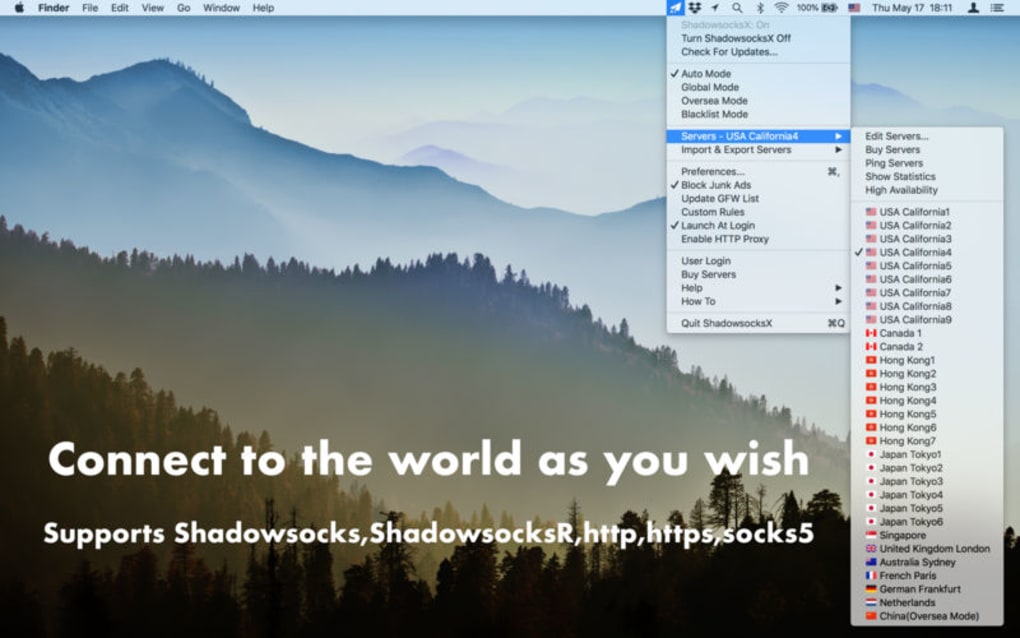
- Automatic server fallback that tries alternative nodes when the primary server drops.
- Lightweight footprint – consumes low CPU and battery on mobile devices.
Pros
- Fast performance compared to full‑tunnel VPNs.
- Free to download and use for basic proxy needs.
- Effective at bypassing regional censorship and geo‑locks.
- Easy to configure, even for non‑technical users.
- Supports multiple operating systems, ensuring broad accessibility.
Cons
- Does not provide full encryption; traffic can still be inspected by advanced adversaries.
- Limited server pool may lead to occasional connectivity drops.
- Identity masking is minimal – the app hides activity but not the user’s true IP.
- Premium server access requires a subscription, which may deter users seeking a completely free solution.
- No built‑in kill‑switch; users must rely on manual toggling during network changes.
Installation, Usage & Compatibility
Installing Shadowsocks X is straightforward across all major platforms. On Windows and macOS, download the installer from the official website, run the executable, and follow the on‑screen prompts to place the application in your preferred directory. Mobile users can locate Shadowsocks X in the Google Play Store or Apple App Store; a single tap initiates the download, and the app will request permission to create a local VPN interface—a requirement for routing traffic through the chosen proxy.
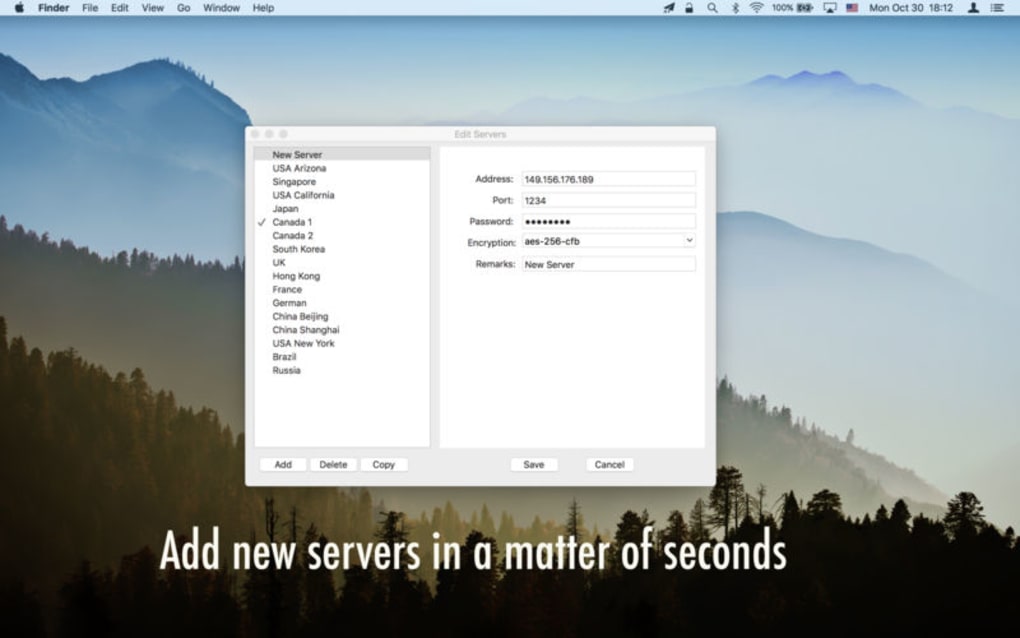
Once installed, launch the app and you’ll be greeted by a clean dashboard. The first step is to add a server profile. If you already own a Shadowsocks or VPN subscription, input the server address, port, password, and encryption method (AES‑256‑GCM is recommended for a good balance of speed and security). For users without a subscription, the app offers a “Free Server” button that connects to a limited‑capacity community node. After saving the profile, toggle the “Connect” switch; the app establishes a tunnel and displays real‑time connection statistics, including latency and data usage.
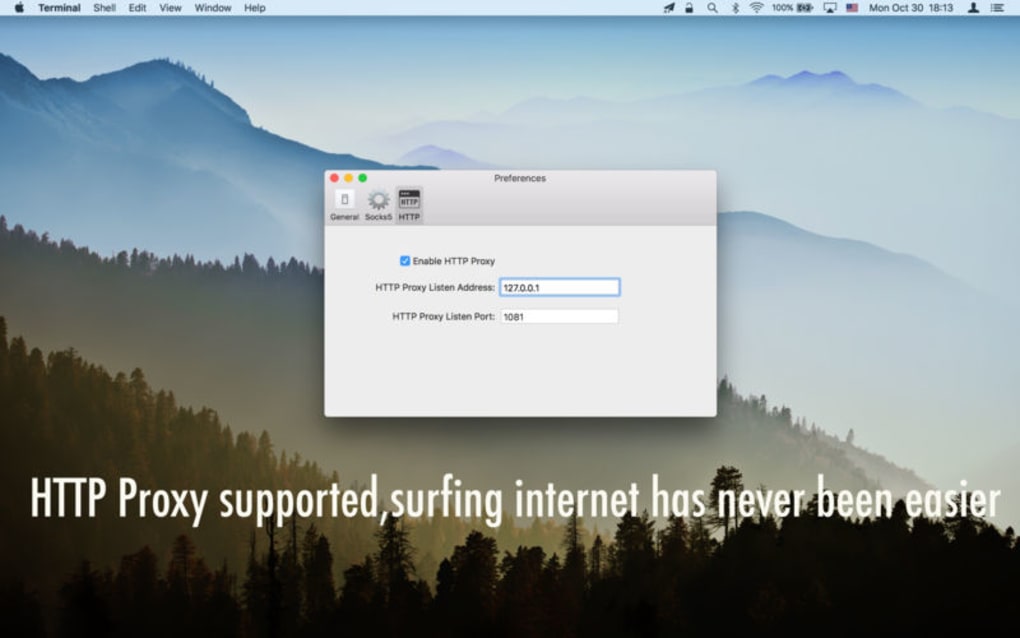
Shadowsocks X is compatible with Windows 10/11, macOS 10.15 and later, Android 8.0 and up, and iOS 13 or newer. The app automatically adjusts its network settings to match the host OS, ensuring that DNS requests are also routed through the proxy to avoid DNS leaks. For power users, advanced settings allow manual selection of encryption algorithms, custom DNS servers, and automatic reconnection policies. The built‑in “Test Speed” feature lets you benchmark each server before committing to a connection, helping you choose the fastest route for your location.
Updating Shadowsocks X is hassle‑free; the app checks for new releases at startup and prompts you to install the latest version with a single click. Regular updates bring performance optimizations, additional server locations, and security patches that keep the proxy chain resilient against evolving censorship techniques.
Frequently Asked Questions (FAQ)
Is Shadowsocks X a true VPN?
No. Shadowsocks X acts as a hybrid proxy that routes traffic through external servers. While it hides the destination of your requests, it does not encrypt the entire data stream like a traditional VPN.
Can I use Shadowsocks X to hide my real IP address?
The app masks the IP address of the websites you visit by routing through a server, but the server logs can still reveal your original IP. It is not designed for full anonymity.
Do I need to purchase a subscription to use the app?
The core app is free. However, to access reliable, high‑speed servers you will need to buy a subscription through the in‑app purchase option.
Is Shadowsocks X safe for streaming geo‑restricted content?
Yes, its fast proxy technology works well for streaming, but occasional server overloads may cause buffering. Using a premium server reduces this risk.
How does Shadowsocks X handle DNS leaks?
The app routes DNS queries through the selected proxy server, effectively preventing standard DNS leaks. Advanced users can also configure custom DNS providers for added privacy.
Conclusion & Call to Action
Shadowsocks X fills a niche between full‑featured VPNs and simple web proxies, offering a free, fast, and easy‑to‑use solution for bypassing location‑based censorship. While it does not replace a dedicated VPN for comprehensive privacy, its hybrid approach provides sufficient obscurity for everyday browsing, streaming, and accessing blocked content. If you value speed and want a straightforward way to circumvent geo‑locks without paying upfront, give Shadowsocks X a try. Download the app today, test the free server, and consider upgrading to a premium plan if you need more reliable connections.







